
Structured cabling
Plan Cat6/Cat6A outlets, routes and patch points with labeling that matches the rack.
We design and deploy structured and wireless networks around the site: outlets, racks, PoE switching, Wi‑Fi coverage, segmentation and fiber where required, followed by testing and an organized handover.
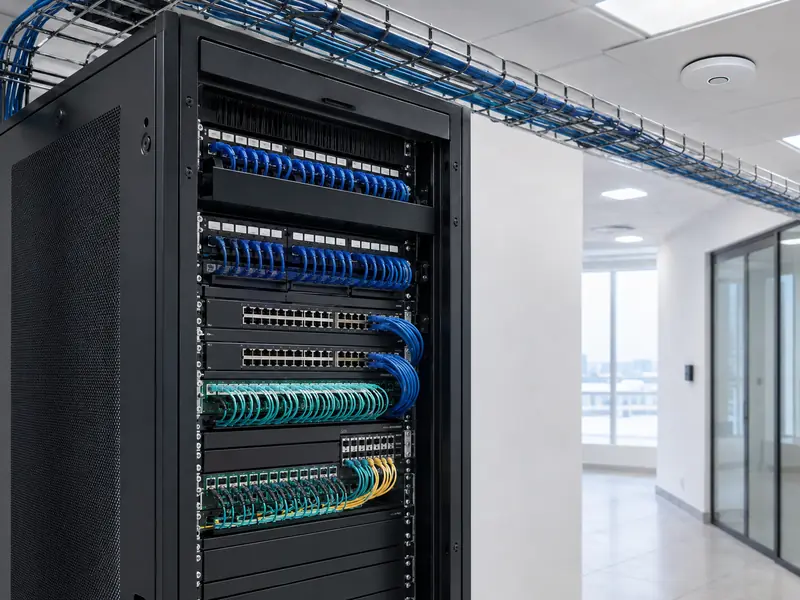 Rack · Switching · Cabling
We start with users, devices, required services and existing routes, then size cabling, switches and access points around those needs.
Switches and access points are not fixed numbers. The design follows actual usage, PoE demand, cable routes, user density, coverage requirements and the ability to expand later.
The goal is not to collect devices, but to build a clear infrastructure that can be operated, expanded and troubleshooted later.
Plan Cat6/Cat6A outlets, routes and patch points with labeling that matches the rack.
Organize patch panels, switches, cable management and power so maintenance does not require untraceable cabling.
Size port count, PoE budget and uplinks around access points, cameras, phones and other powered devices.
Place access points after reviewing the floor plan, building materials, user density and interference—not by square meters alone.
Separate services where the equipment and project require it, for example staff, guests, cameras and other systems.
Use fiber for longer runs, building-to-building links or higher capacity where copper is not the right medium.
The core principles stay the same, but the design priorities change between an office, warehouse, villa and multi-building site.
| Site type | First priority | What we check |
|---|---|---|
| Office or company | Stability and segmentation | Staff and guest SSIDs, VLANs, Phones, cameras, PoE capacity and uplinks. |
| Warehouse | Cabling and coverage | Long runs, paths, fiber backbone, wireless placement and industrial obstacles. |
| Villa or large home | Coverage and clean installation | Outlets for TV, CCTV, desks and access points, with low-visibility cabling routes. |
| Multi-building site | Backbone and management | Fiber links, switch uplinks, segmentation and a simple network map for maintenance. |
Many “network problems” are actually infrastructure, power, placement or organization problems.
Port count alone is not enough; powered devices require a switch with adequate total PoE capacity.
Missing labels and cable management make troubleshooting slower and increase the chance of disconnecting the wrong service.
Adding access points without a plan can increase interference. Placement depends on the building and client density.
Larger sites often benefit from separating staff, guest and camera traffic when the equipment supports proper segmentation.
We confirm scope before installation, then configure and test against the agreed design.
Understand the site, existing infrastructure, users and connected systems.
Plan outlets, rack, switching, PoE, wireless coverage and routes.
Complete cabling, rack work and hardware installation with labeling and organization.
Set up wireless networks, VLANs and services within the agreed project scope.
Verify connectivity, coverage, outlets and completed implementation before closeout.
These answers help define the project scope before the detailed survey and design.
The design is based on floor area, building materials, users, connected devices, network outlets, PoE requirements and actual usage—not floor area alone.
Yes. The project can include cabling, outlet labeling, rack and patch-panel organization, switching and cable testing according to the agreed scope.
Yes. Where the equipment supports it, separate VLANs, SSIDs and access policies can be designed to improve management and security.
Fiber is commonly considered for longer distances, building-to-building links, higher capacity requirements or environments where electrical interference is a concern.
Yes. The agreed handover includes testing network outlets, connectivity, coverage and core services, along with clear confirmation of the completed scope.
Send the site size, expected users and required systems. We will identify what needs to be surveyed before cabling, switching and access-point placement are finalized.